

Naperville Police Chief Shares Online Safety Tips Every Parent Needs to Hear
Naperville is consistently ranked among the safest cities in Illinois, but Police Chief Jason Arres says the biggest safety challenges facing families today are happening online inside the same devices kids carry to school and take to bed.
In a sit-down interview with local realtor and community host Dan Firks on the Living in Naperville channel, Chief Arres laid out clear, practical guidance for Naperville parents: when to give kids a phone, how to set it up safely, and which digital dangers most parents overlook. Watch the full interview above, or read the complete breakdown below.
In a companion clip, Chief Arres walks through this same advice with Dan Firks on camera, including his specific warning about gaming chat in apps like Roblox. Watch the full clip and read the transcript →
When Should Kids Get Their First Phone?
Chief Arres is direct about this: there is no single right age. The real question is whether a child is ready for what a smartphone actually is not just a way to call home, but a gateway to apps, unrestricted internet, social media, and contact with strangers.
His guidance is to hold off until parents feel confident that two things are true: the child understands boundaries, and the parent is ready to be actively involved in monitoring how the phone is used.
Most Naperville families introduce phones during middle school, roughly ages 11 to 13. But Chief Arres cautions that age alone is not the benchmark. Maturity, existing responsibility habits, and the parent’s bandwidth for ongoing oversight matter more than the number of candles on the last birthday cake.
Ask yourself these questions before handing over a phone:
- Does my child understand that everything they send or post can be seen, saved, and shared?
- Do I have time to regularly check in on their activity, at least at first?
- Have we talked about what to do if someone online makes them uncomfortable?
If the honest answer to any of those is no, that is a signal to wait — or to prepare — before the phone arrives.
How to Set Up Parental Controls That Actually Work
Even once a child has a phone, Chief Arres says the handoff should never be unconditional. Every device should be configured with limits before it leaves the parent’s hands.
Use the Built-In Tools
Both Apple and Android include strong parental control systems Apple Screen Time and Google Family Link that allow parents to restrict app downloads, set screen time limits by category, and review activity reports. These are free, built into the operating system, and require no third-party software.
Keep Phones Out of the Bedroom at Night
Chief Arres describes this as one of the single most effective rules a family can set. A central charging station in the kitchen or living room protects sleep, reduces late-night access, and removes a significant portion of the risk window. Kids are far more likely to make poor online decisions when alone and tired.
Limit App Downloads to Age-Appropriate Content
The App Store and Google Play both support age-based download restrictions. Set these before the child uses the phone for the first time, then make changes together as a household — not unilaterally.
Revisit the Rules Regularly
A 6th grader and an 8th grader are not in the same place developmentally. The rules that made sense at activation may need to evolve. Chief Arres recommends treating phone access as an ongoing conversation, not a single decision made on the day the phone was turned on.
Tip: Have your child charge their phone in the kitchen or another common area overnight. This single rule protects sleep and eliminates the most vulnerable window for unsafe online activity.
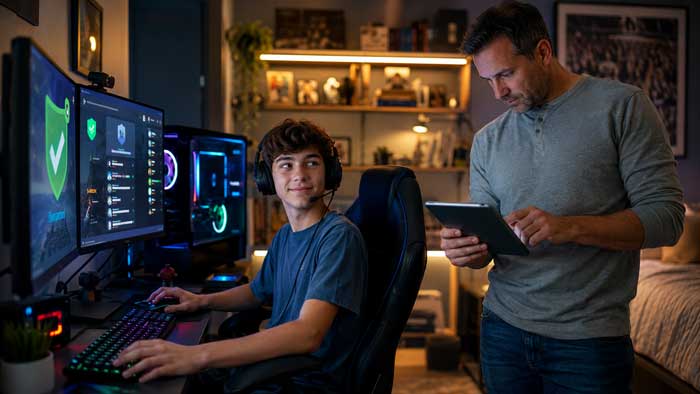
The Hidden Danger Most Parents Miss: Gaming Chat
Chief Arres is emphatic about this: for many kids, social media is not the primary risk. Gaming is.
Platforms like Roblox, Fortnite, and countless mobile games are designed to be social. Nearly all of them include built-in chat features, and many allow voice communication with strangers. Because parents often see gaming as relatively harmless screen time, these chat channels receive far less scrutiny than Instagram or TikTok.
That gap is where predators operate.
Chief Arres explains that adults posing as children use gaming chat specifically because it feels low-stakes to kids. The strategy is patience: a stranger builds rapport over days or weeks of gaming together before attempting to move the conversation off-platform or extract personal information.
What Chief Arres Recommends:
- Disable in-game chat features whenever the option exists. Most games allow this in parental settings.
- Teach kids that people online are not always who they claim to be — even people they have “played with” for months.
- Make it easy for kids to report uncomfortable interactions without fear of losing screen time as a consequence. If reporting feels like a punishment, kids stop reporting.
The goal is not to ban gaming. It is to make sure the chat function does not become an unmonitored channel into your child’s life.
How Naperville Approaches Online Safety as a Community
Chief Arres describes Naperville’s safety culture as a partnership model: the police department handles enforcement and incident response, while residents, schools, and families handle prevention. Online safety fits the same framework.
District 203 and District 204 both incorporate age-appropriate digital literacy into their curriculum. The Naperville Police Department runs community outreach programs and participates in school visits to discuss online safety with students directly. But Chief Arres is clear that the most effective protection happens at home in the rules and conversations families have before something goes wrong.
Naperville’s low crime rates are not accidental. They reflect a community where neighbors stay engaged and parents stay involved. The same instinct that makes someone lock their car and know their neighbors applies to setting up a phone correctly and knowing who their child is talking to online.
Learn more about what makes Naperville one of Illinois’s most family-friendly communities: Moving to Naperville: The Complete Guide and Best Neighborhoods in Naperville IL (2026 Guide).
Family Safety Resources Available to Naperville Residents
If you are new to Naperville or exploring a move, these city-provided resources are available to all residents:
- Naper Notify: A mass alert system that sends emergency and public safety notifications directly to residents’ phones. Sign up through the City of Naperville website.
- Safe Exchange Zones: The Naperville Police Department parking lot is a designated, camera-monitored location for online marketplace transactions or custody exchanges available 24 hours a day.
- Public Safety Map: A neighborhood-level crime data tool available through the city’s website that lets residents review incident patterns in their area.
- School-Based Digital Safety Programs: Both D203 and D204 work with school resource officers and outside educators to teach kids how to navigate the internet responsibly.
For families considering Naperville, these programs reflect a city that treats safety as a community-wide commitment not just a law enforcement metric.
Moving to Naperville? Family Resources You Should Know
If you’re considering a move to Naperville, you’ll find a city that not only ranks highly for overall safety but also prioritizes family wellbeing. Here are a few resources new residents should know:
- Naper Notify: A mass notification system that alerts residents about emergencies and public safety updates.
- Safe Exchange Zones: Monitored areas at the Naperville Police Department where residents can safely meet for online transactions.
- Public Safety Map: A transparent tool showing neighborhood-level crime data.
- Local Schools: District 203 and District 204 schools both incorporate digital safety awareness into education.
These resources, combined with Naperville’s community culture, make the city one of the most family-friendly suburbs in Illinois.

Related Safety Guides on Naperville.com
- Is Naperville Safe?
- Why Naperville Is One of the Best Suburbs for Families
- Naperville Police
FAQs: Online Safety for Kids in Naperville
What age should kids get a smartphone in Naperville?
Naperville Police Chief Jason Arres recommends focusing on maturity over age. Most families in Naperville introduce phones during middle school (ages 11 to 13), but readiness depends on a child’s sense of responsibility and the parent’s capacity to stay actively involved in monitoring usage. There is no universal right answer — it is a family decision that should be made deliberately, not by default.
What parental controls do Naperville police recommend?
Chief Arres points to Apple Screen Time and Google Family Link as the two most accessible options for most families. Both are free, built directly into their respective operating systems, and allow parents to restrict downloads, set screen time limits by app category, and review activity. He also recommends keeping phones out of bedrooms overnight as a simple but high-impact household rule.
Are gaming platforms safe for kids?
Games themselves are not inherently unsafe, but the built-in chat functions on most gaming platforms create meaningful risk. Chief Arres recommends disabling chat features whenever possible, teaching kids that online contacts may not be who they claim to be, and creating an environment at home where kids feel safe reporting uncomfortable interactions without fear of punishment.
How does Naperville support family digital safety?
The Naperville Police Department participates in school outreach programs, operates Safe Exchange Zones at police headquarters 24 hours a day, and the city offers the Naper Notify emergency alert system for all residents. District 203 and District 204 also incorporate digital safety education into student curriculum at multiple grade levels.
Is Naperville safe for families with children?
Yes. Naperville consistently ranks among the safest cities in Illinois and is considered one of the best suburbs in the Chicago metropolitan area for families with children. Safety in Naperville operates as a community partnership between residents, schools, and law enforcement a model that extends to online safety education and resources.
Thinking About Moving to Naperville?
Naperville’s safety record, school districts, and community resources make it one of the most sought-after suburbs in the Chicago area.
Dan Firks and the Dan Firks Team at Coldwell Banker Real Estate Group help families find the right neighborhood to match their life.
Looking to Buy or Sell in Naperville?

Have questions about buying or selling real estate in Naperville? Get in touch with Dan Firks today.
Contact Dan Firks
Recent Post

Oct. 14, 2026
How to Buy a House in Naperville: The Steps From Planning to Closing

Oct. 13, 2026
New Construction Inspections in Naperville: Phases and Occupancy

Oct. 13, 2026
Home Sale Contingency in Illinois: How the Kick Out Clause Works

Oct. 12, 2026
Buying a Foreclosure or Short Sale in Naperville: How Each One Works

Oct. 11, 2026
Average Rent in Naperville vs Buying: First Year and Five Year Costs
Explore Naperville
Naperville is a vibrant community offering something for everyone. From highly rated schools and welcoming neighborhoods to local dining, seasonal events, and everyday conveniences, the city blends suburban comfort with an active lifestyle. Whether you’re researching the area, planning a visit, or considering a move, explore the sections below to learn more about what makes Naperville a great place to live, work, and enjoy.
Explore Naperville